Chat Cloner Secretly View Chat
- 4.1
- Rating
- 1.00M
- Installs
- Free
- Price

 Analysis by App-foxy
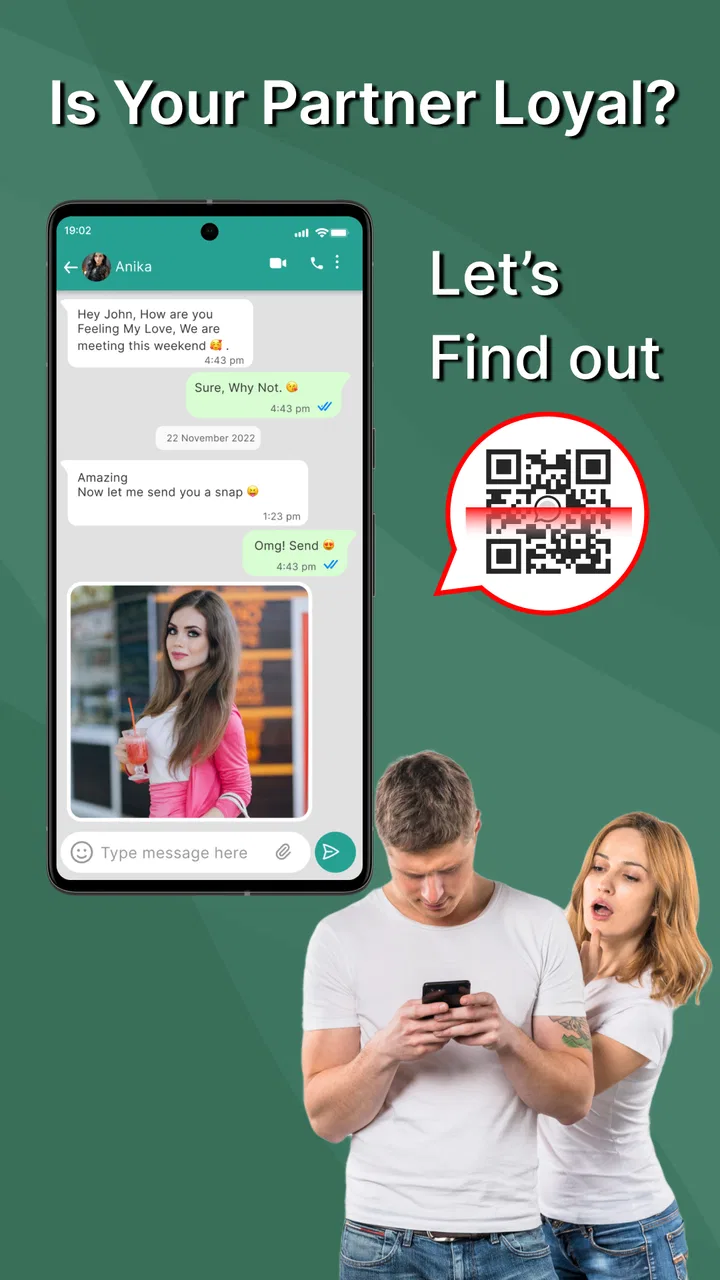
Chat Cloner Secretly View Chat is a communication app from G.K. Apps Studio built around a very specific task: keeping a chat account available on another device by scanning a web QR code and syncing the conversation view to a phone. After spending time with it, my main impression is that it is more of a practical companion for managing access than a replacement for a full messaging service. It can be useful when you need a second screen for an existing chat account, but it also demands careful attention to privacy, device access, and the limits of mirrored conversations.
The app is free to install, carries an Everyone age rating, and works on devices running Android 6.0 or later. Its current version is 6.9, and its popularity is easy to understand: the listing shows over a million installs and an average rating of 4.1 from around eleven thousand ratings. Those figures suggest that the basic idea is clear to a large audience, although they should not be mistaken for proof that it will suit every phone, account, or workflow.
What Chat Cloner does well in everyday use
The strongest part of the experience is its straightforward purpose. Instead of presenting itself as another social network or a separate inbox, it focuses on connecting an existing chat session to a phone through a QR scan. That makes the first decision easy: if you want to use an account you already have on another screen, this is the kind of utility you would consider. If you are looking for a new place to meet people or send messages independently, it is the wrong category of app.
You May Also Like

 Blood Strike: 2.5 Anniversary
Blood Strike’s Loadouts Turn Every Drop Into a Tactical Gamble
A close look at Blood Strike’s custom loadouts: how fast access to signature weapons reshapes its battle royale rhythm, rewards preparation, and narrows the gap between fights.

 Pandora - Music & Podcasts
Pandora’s Music Is Easy to Start, but Harder to Recover
Pandora’s strength is its low-effort path from a seed to a station. Its weak spot is how much confidence it asks you to place in connection, setup, and quiet recovery.

 8 Ball Pool
 Is Built on Rivalries, Rematches, and Routine
A close look at the rivalries, rematches, shared routines, and unanswered safety questions that turn a quick pool match into a persistent mobile community.

 Samsung Music
’s Quiet Strength Is Playing What You Already Own
Its reach comes less from spectacle than from dependable access to a personal library. That simplicity is both the app’s strongest retention engine and its ceiling.

 AccuWeather: Weather Radar
AccuWeather Review: A Quick, Clear Forecast for Everyday Decisions
For everyday plans, the best forecast is the one you can understand quickly. AccuWeather makes rain timing, radar, and local conditions easy to act on, with a few trade-offs.

 Hill Climb Racing
Why Hill Climb Racing Still Turns Crashes Into One More Run
A tiny car, a bumpy hill and one more upgrade: Hill Climb Racing keeps resurfacing because its simple chaos makes every near-miss feel personal.
More From Our News Desk



The QR-based setup is also more approachable than manually entering account details into an unfamiliar utility. In a normal scenario, I would open the relevant web-chat option on the primary device, use the scanner inside Chat Cloner, and wait for the session to synchronize. The important point is to treat the QR code as an access key rather than a harmless picture. I would only scan a code on a device I personally control, and I would remove the linked session when I no longer need it.
That workflow makes sense for people who move between a phone and a spare device during the day. For example, imagine using a primary phone for calls while keeping an older Android device on a desk for reading incoming work messages. The second device can be easier to glance at, and it may save you from constantly unlocking the primary phone. In this situation, the app’s value comes from convenience rather than from adding new communication features.
Another useful angle is temporary access. Someone might need to check a chat account on a backup phone while their main handset is being repaired or while traveling. Chat Cloner can be considered for that short period, provided the user remembers that synchronization is tied to account access and device trust. I would not leave a cloned session active on a shared family tablet, a borrowed phone, or any device that can be opened by other people.
The interface concept is easier to understand than many tools that combine several unrelated functions. You scan, connect, and use the synchronized chat view. That narrow focus helps beginners because there are fewer decisions to make before reaching the main purpose. It also means the app does not need to teach you a new messaging ecosystem: the conversations remain connected to the service you already know.
There is a practical distinction here that is easy to miss. A cloned or synchronized view is not the same thing as an independent backup. If your goal is to archive conversations permanently, export records, or create a separate history that remains available after a session ends, this app should not be your first assumption. Its appeal is live access across devices, not a guaranteed replacement for a dedicated backup process.
I also found the app more useful when treated as a controlled access tool rather than a way to watch someone else’s private messages. The wording around secretly viewing chats may attract curiosity, but responsible use matters. You should only connect an account that belongs to you or one for which you have clear permission. A QR scan can expose personal conversations, contacts, images, and other sensitive material, so the convenience is worthwhile only when the ownership and consent are obvious.
The small workflow choices that make a difference
My first practical tip is to prepare both devices before scanning. Keep the primary account open, make sure the second device is connected, and avoid starting the process while rushing between networks. A failed scan is not necessarily a sign that the app is broken; it can simply mean the code expired, the camera did not read it cleanly, or the session was not ready. Reopening the QR screen and scanning again is a more sensible first response than repeatedly tapping unrelated controls.
Second, decide in advance how long you need the second device connected. If the use case is a one-day backup phone, make a note to review active sessions afterward. This is a better habit than leaving every old device connected indefinitely. The app makes multi-device convenience possible, but the user remains responsible for knowing where the account is accessible.
Third, use a screen lock on the secondary device. A synchronized chat account can be more sensitive than the app itself, because the content comes from your conversations rather than from the utility’s own interface. A strong device passcode, biometric lock where available, and a habit of closing the session when finished are simple safeguards that make the setup much less risky.
A fourth insight is to distinguish reading convenience from notification reliability. A mirrored chat view may help you check messages on a larger or spare screen, but I would not build a time-critical work process around it unless I had tested how promptly updates appear on my own devices. Network conditions, account session behavior, and background restrictions can all affect how comfortable a synchronized workflow feels. For casual checking, that may be acceptable; for urgent support or business communication, the official app on the primary device is usually the safer reference.
The app’s communication category also explains why comparisons need to be precise. A normal messaging app gives you its own account system, contact tools, and conversation environment. A web-session companion does something narrower: it extends access to a service you already use. Compared with switching between multiple official apps, Chat Cloner may reduce friction when the main need is a second viewing device. Compared with the official client itself, however, it may offer less certainty about long-term support, notifications, and the full range of account controls.
Where the experience becomes less comfortable
The main weakness is not the QR idea itself; it is the trust and control that come with it. Connecting a chat account to another device always creates another place where private information may be visible. Even when the setup is technically simple, the user has to think about who can access the phone, whether the session is still needed, and what happens if that device is lost. This makes the app less carefree than its short description might suggest.
I would also be cautious about the word “secretly.” A tool that makes chat access easier should not be treated as a way to bypass another person’s privacy. The ethical boundary is clear to me: use it for your own account, an authorized shared account, or a device-management situation where everyone involved understands the arrangement. Anyone searching for a way to read another person’s messages without consent should skip it.
There is also a difference between a convenient companion and a complete replacement for the official chat application. If you depend on every account setting, the most dependable notifications, media handling, security prompts, or newly introduced service features, the official client will generally be the better place to work. Chat Cloner’s narrow purpose is its strength, but that same narrowness limits what I would expect from it.
Users should remember that synchronization depends on the service being connected and on the session remaining valid. A QR connection is not a magic offline copy of a conversation. If the primary account signs out, the session expires, the network changes, or the service alters its web access behavior, the second-device experience may stop being useful until the connection is restored. That is an important trade-off for anyone considering it as a permanent communication setup.
The free entry point is welcome, but the app also includes in-app purchases ranging from $1.19 to $22.99 per item. I would approach those optional costs carefully and decide whether the basic workflow already covers my needs before paying for anything. For a simple temporary connection, spending more may not make sense. For frequent use, I would first judge whether the added value is clear in the version available on my device rather than assuming every paid option is necessary.
Compatibility is another reason to test before committing to a routine. The minimum requirement of Android 6.0 makes the app accessible to many older phones, but an operating-system requirement alone does not guarantee the same experience across every manufacturer. Camera behavior, background limits, screen size, and battery management can affect QR scanning and ongoing synchronization. My advice is to test the exact spare device you plan to use, especially if it is an old handset being brought back into service.
Who should use it, and who should choose something else
I see Chat Cloner as a good fit for a person who already has a chat account and wants a second, controlled screen for it. It can suit someone with an older phone on a desk, a backup handset used during travel, or a personal device that is easier to read than the main phone. It is also approachable for users who do not want to learn a new messaging platform and simply need a QR-based bridge to an existing web chat.
It is less suitable for families sharing one tablet, because accidental access is too easy to overlook. I would also avoid it for confidential professional conversations on an unmanaged device. If several people need distinct accounts, a multi-account feature in the official service may be a cleaner solution. If the goal is permanent message preservation, a proper export or backup method is more appropriate. If the goal is private communication from scratch, choose a conventional messenger with its own account and security model.
Parents and guardians should be especially careful about the difference between supervision and covert access. The app may make a second-device connection technically convenient, but convenience does not replace consent or a clear household rule. I would explain exactly what is being connected, why it is needed, and how the session will be removed. That approach protects trust as well as the account.
For a small business, the decision depends on the workflow. A dedicated work phone or official multi-device support may provide clearer ownership and easier offboarding when an employee changes roles. Chat Cloner could be reasonable for a short-term personal backup, but I would not make it the only access route for customer support without testing reliability and establishing a session-management routine.
The developer, G.K. Apps Studio, has kept the product focused enough that a new user can understand its central use quickly. The app is free and rated for Everyone, which lowers the barrier to trying it, but the privacy implications remain more important than the friendly entry point. A simple interface does not make a linked account harmless; it simply makes the connection easier to create.
My verdict after weighing convenience against control
Chat Cloner Secretly View Chat succeeds when the problem is specific: I have an existing chat account, I control both devices, and I want to view that account from a second phone through a QR connection. In that narrow role, it can be handy, especially for a spare-device setup where the official chat experience is inconvenient to reach. The app’s large install base and solid 4.1 average suggest that many people find the concept useful, though my recommendation still depends on careful device and account habits.
I would recommend trying it for temporary, authorized access rather than treating it as a permanent substitute for the official client. Scan only your own or explicitly shared account, secure the secondary device, test message synchronization before relying on it, and remove the session when the task is over. Those steps address the biggest weakness without taking away the convenience that makes the app interesting.
My final view is favorable but selective. This is a focused Android communication utility, not a complete messenger, archival system, or permission-free way to inspect someone else’s conversations. Choose it when a second-device chat view solves a real problem and you are comfortable managing the associated access. Skip it when privacy boundaries are unclear, when you need dependable business-grade continuity, or when the official app already provides everything you need.
FAQs for Chat Cloner Secretly View Chat
01What is Chat Cloner Secretly View Chat, and how does it work?
Chat Cloner Secretly View Chat is presented as a utility for viewing or managing chat activity from another device, usually by pairing accounts or scanning a connection code. Before downloading, users should carefully check the exact features offered by the current version, because app capabilities can change. It should not be assumed that the application can access every conversation or bypass account security without authorization.
02Is Chat Cloner Secretly View Chat safe to use?
Safety depends on where the app is downloaded, what permissions it requests, and how it handles account information. Install it only from a trusted official store, review the developer details, and avoid modified APK files or suspicious download pages. Be especially cautious if the app requests unnecessary access to contacts, notifications, storage, accessibility services, or login credentials.
03Can I use it to secretly read someone else’s messages?
Users should not use Chat Cloner Secretly View Chat to monitor another person without their clear knowledge and consent. Secret surveillance can violate privacy laws, platform rules, and personal trust. Any legitimate use should be limited to your own accounts, devices, or situations where every affected person has explicitly agreed. The app should never be treated as a tool for bypassing passwords or security controls.
04What permissions and account access might the app require?
Depending on its current design, Chat Cloner Secretly View Chat may request permissions related to notifications, storage, camera access for scanning a code, or device connectivity. Read every permission prompt before accepting it and deny anything unrelated to the advertised function. Never enter passwords, verification codes, or recovery information into an unfamiliar interface, and remove access if the app behaves unexpectedly.
05What should I check before downloading Chat Cloner Secretly View Chat?
Before installing, check the app’s publisher, recent reviews, update history, privacy policy, supported Android or iOS version, and whether the listing clearly explains its limitations. Look for reports of excessive advertising, subscription charges, data collection, or account problems. Also confirm that the app is compatible with your messaging service and understand that deleted, encrypted, or unavailable chats may not be recoverable.
Pros
- Lets you read messages without triggering read receipts in supported chats.
- Simple interface with quick access to copied or monitored conversations.
- Useful for checking messages discreetly when privacy is important.
- May help preserve your online privacy by limiting visible activity.
- Lightweight design makes the app easy to navigate for new users.
Cons
- Compatibility may vary across messaging apps and operating system versions.
- Some features can stop working after updates to the original chat app.
- Background access may increase battery consumption on some devices.
- Privacy permissions may expose sensitive notifications or message content.
- The app may include ads or require paid access for advanced features.

Chat Cloner Secretly View Chat
Gallery